Creating Ranks
Create a rank process in Gamification > Ranks to define a progression track and the requirements members must meet to advance through each step.
Before you start
Each rank process must include at least one rank step and one requirement. You can add more steps later to build a full progression.
Create a rank process
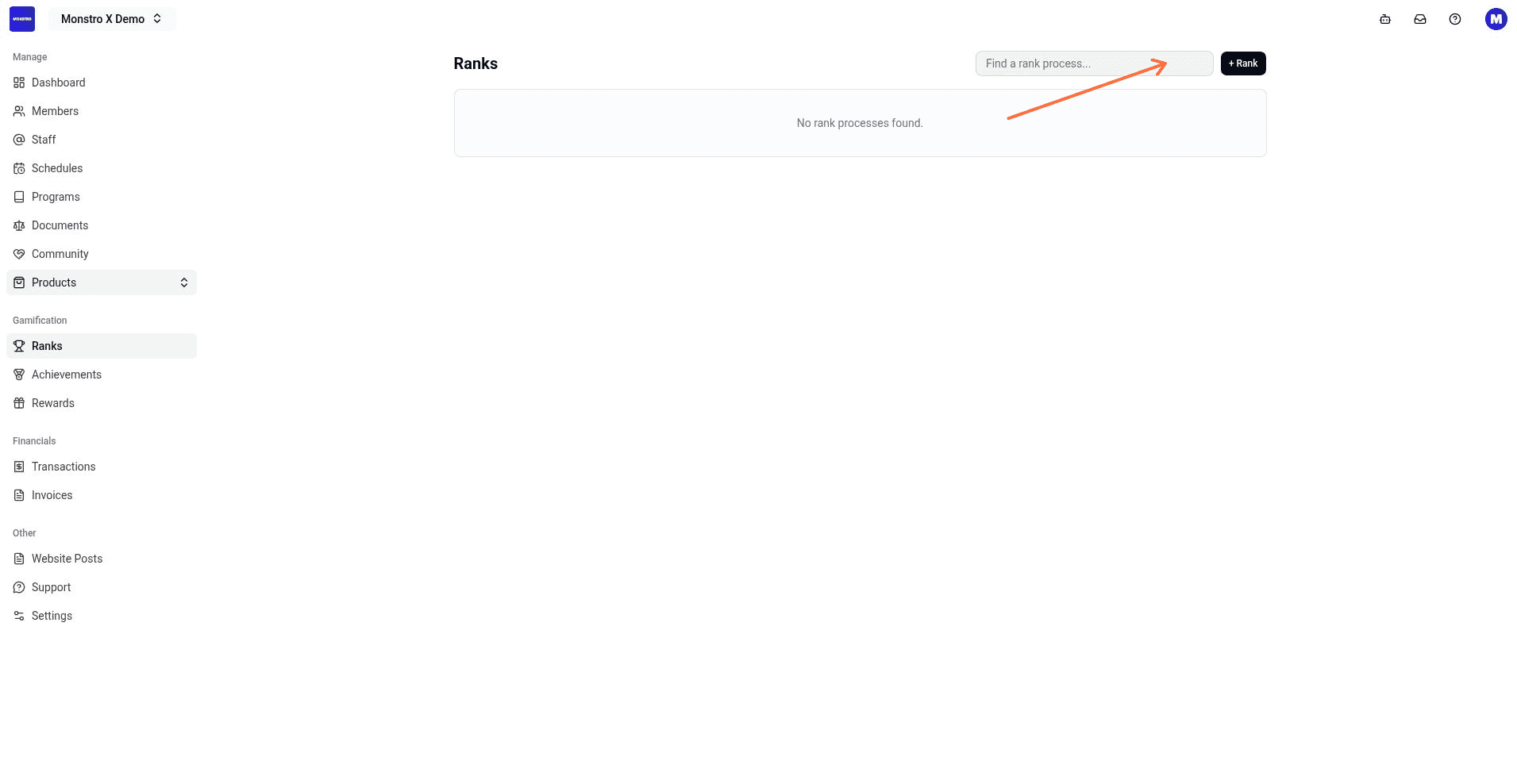
- In your location dashboard, open Gamification > Ranks.
- Click + Rank.
- Enter a Process name. The description is optional.
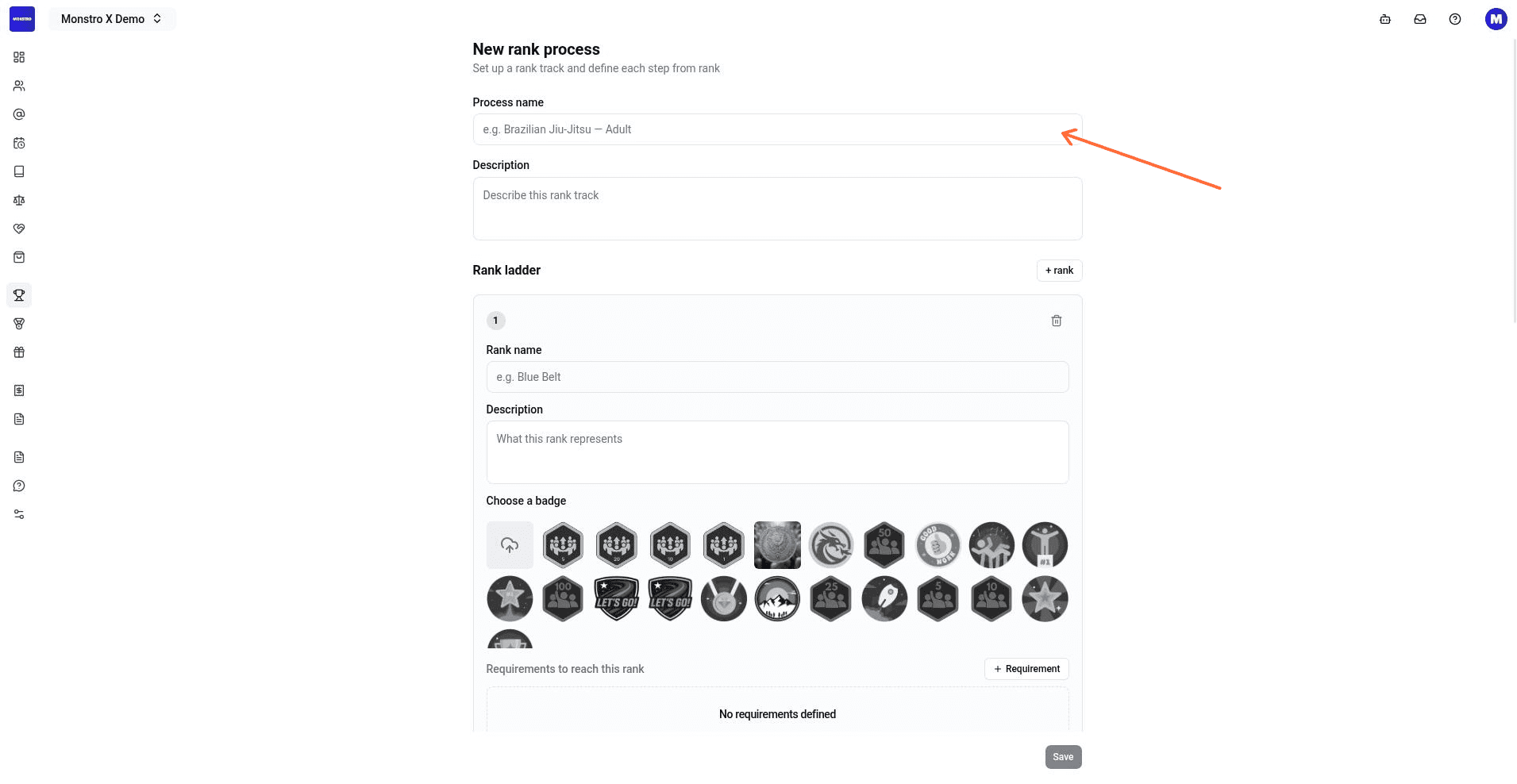
- Under the first rank step, fill in:
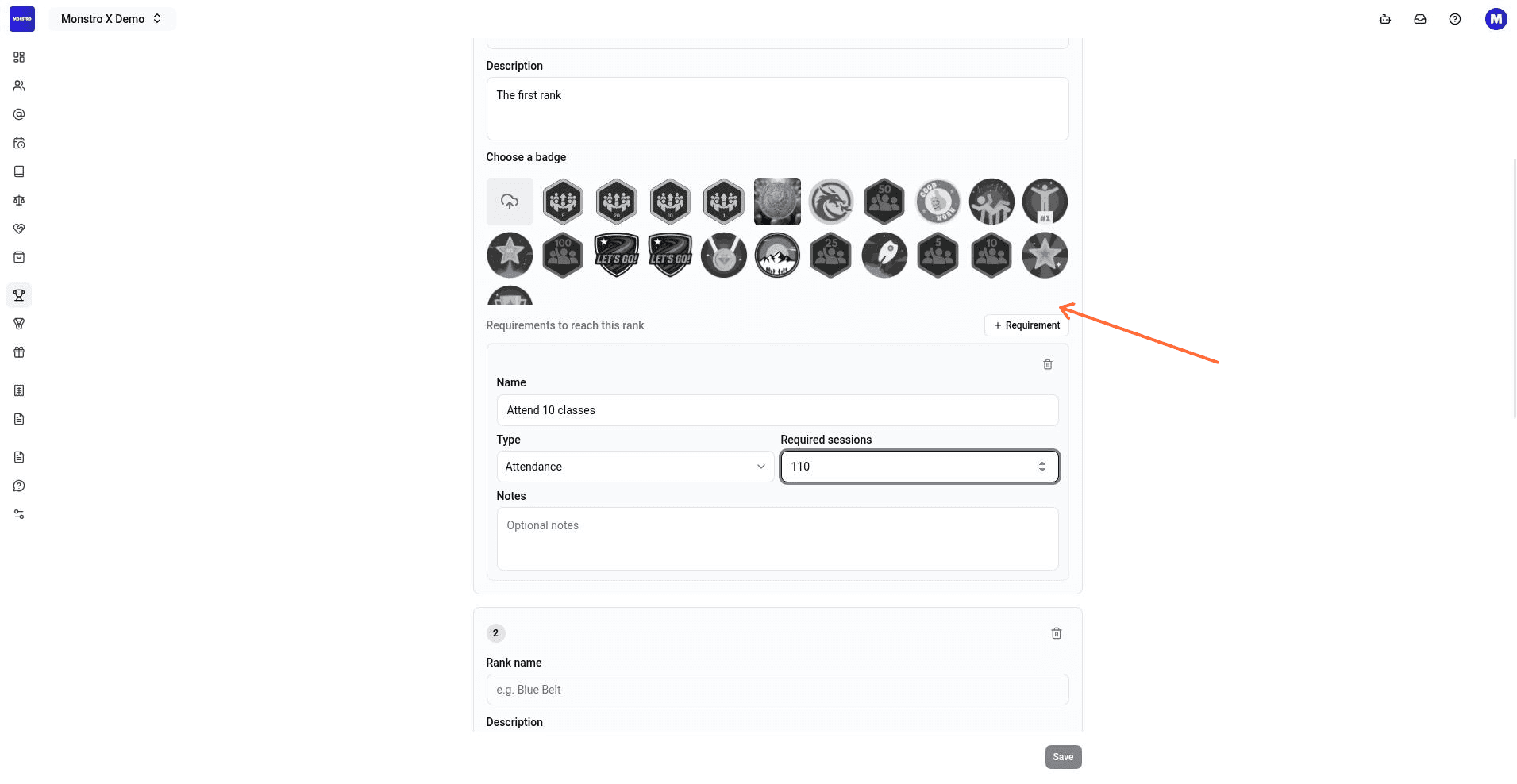
- Add at least one requirement for that rank:
- Add more rank steps if your track has multiple levels.
- Click Save.
After saving, the dashboard shows a toast that says Rank process created and the new process appears on the Ranks list.
[!INFO]
Archiving a rank process preserves existing member rank history. Members keep their progression records even if the process is no longer active.